

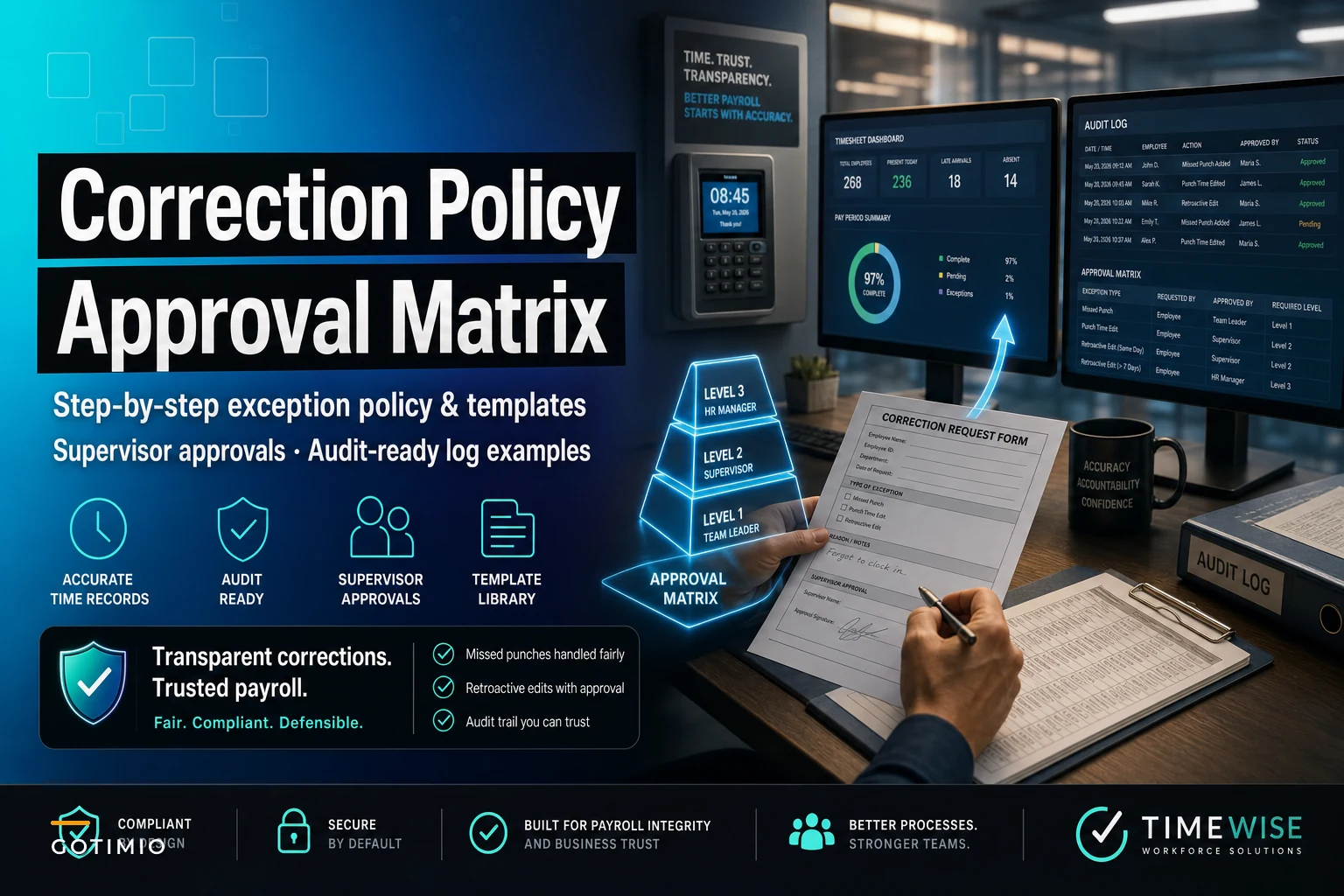

Sarah from accounting just flagged seventeen retroactive time edits from last payroll cycle. No supporting documentation, no approval signatures, just manual adjustments in the system with cryptic notes like "forgot to clock out" and "system error Tuesday."
Your audit firm wants explanations. The Department of Labor could request records anytime. Meanwhile, supervisors keep texting you screenshots of punch corrections they need "ASAP" for tomorrow's payroll run.
This isn't about catching timesheet fraud or building complex compliance systems. It's about creating a practical missed punch correction policy that actually works when your warehouse supervisor texts you at 11 PM saying three employees forgot to clock in after lunch.
Why standard correction policies break down in real operations
Most businesses treat punch corrections like an IT ticket — submit a form, wait for approval, process the change. Sounds logical until you're dealing with 15-20 corrections per week across multiple locations, each with different approval requirements based on the type of edit.
The core problem: businesses try to apply the same approval process to every type of correction. A two-minute rounding adjustment gets the same scrutiny as adding eight hours to last Tuesday's timecard. Your payroll team drowns in minor approvals while major corrections slip through without proper documentation.
In most small operations, supervisors text corrections directly to payroll. HR makes edits based on verbal confirmations. Documentation lives in email threads and WhatsApp messages. Approval trails disappear after 90 days when chat histories auto-delete. Auditors find gaps you can't explain six months later.
Time corrections happen constantly. Construction crews forget to clock in at remote sites. Restaurant servers clock out early but keep working through closing duties. Healthcare workers get pulled into emergencies before punching in. These aren't fraud attempts — they're normal operational friction points that need systematic handling.
Building an exception hierarchy that matches operational reality
Not all corrections carry equal risk. A supervisor adjusting 15 minutes for a late clock-out is fundamentally different from adding an entire missed shift three weeks after the fact. Your policy needs to reflect these risk levels without creating unnecessary bottlenecks.
Accurate time tracking made effortless.
GoTimio empowers your team to log, monitor, and manage work hours seamlessly.
- Real-time time tracking
- Automated timesheet approvals
- Payroll and billing integration
No credit card required
Start with categorizing corrections by operational impact.
Level 1: Same-day adjustments under 30 minutes
These happen constantly. Someone forgets to clock back from lunch. The time clock freezes during shift change. A delivery driver's app crashes mid-route. These corrections should be almost automatic with minimal friction.
Level 2: Same-week adjustments under 4 hours
Typically missed punches discovered during weekly timecard review. An employee worked through their break but forgot to cancel the auto-deduct. Someone left early for a doctor's appointment but didn't adjust their schedule. These need documentation but shouldn't require executive approval.
Level 3: Prior-period adjustments or full shift additions
Any correction affecting closed pay periods or adding more than 4 hours. These trigger audit concerns and potential overtime recalculations. They need multiple approvals and permanent documentation.
Level 4: Pattern corrections or backdated overtime
Multiple corrections for the same employee, systematic adjustments across departments, or any change that converts regular hours to overtime retroactively. These require investigation before approval.
This hierarchy matches how operations actually run. Minor daily fixes flow quickly while major corrections get appropriate scrutiny.
Your approval matrix template (ready to implement)
Here's the practical approval structure that's worked across manufacturing plants, medical practices, and retail operations:
| Correction Type | Time Frame | Hours Impact | Approver Level | Documentation Required | Audit Trail |
|---|---|---|---|---|---|
| Missed punch (same day) | Within 24 hours | Under 30 min | Direct supervisor | Email or system note | 6 months |
| Missed punch (same week) | 1-7 days | Under 4 hours | Supervisor + HR | Written explanation | 12 months |
| Prior period adjustment | 8-30 days | Any amount | Dept manager + Payroll | Signed form + evidence | 3 years |
| Historical correction | 30+ days | Any amount | Director + CFO | Investigation report | 7 years |
| Overtime conversion | Any | Changes OT status | Dept manager + CFO | Detailed justification | 7 years |
| Pattern corrections (3+) | Any | Any | HR + Operations manager | Review documentation | 3 years |
Approval levels escalate based on audit risk, not just dollar amounts. A $50 correction from two months ago creates more compliance exposure than a $200 same-day adjustment.
Sample log entries that auditors actually accept
Generic notes like "system error" or "forgot to punch" create audit nightmares. Every correction needs a log entry that explains what happened, why it's legitimate, and who verified it.
Level 1 Example (same-day minor)
Date: 11/14/24 2:47 PM Employee: Marcus Chen (#4412) Correction: Added clock-out 11/14/24 1:30 PM Reason: Time clock malfunction during lunch rush - employee worked through scheduled out time Verification: Security footage confirms employee at register until 1:32 PM Approved by: Jennifer Liu (Shift Lead) via system at 2:47 PM
Level 2 Example (same-week adjustment)
Date: 11/16/24 9:15 AM Employee: Destiny Williams (#3967) Correction: Added 3.5 hours on 11/13/24 (2:00 PM - 5:30 PM) Reason: Employee covered urgent client visit, left before clocking in from lunch Verification: Client signature on service report #8823, GPS log shows on-site presence Documentation: Service report attached, client confirmation email saved Approved by: Robert Torres (Operations Mgr) 11/16 9:15 AM Secondary approval: Sarah Kim (HR) 11/16 10:22 AM
Level 3 Example (prior period)
Date: 11/28/24 3:22 PM Employee: Ahmed Hassan (#5891) Pay Period Affected: 11/1-11/15 (closed) Correction: Added full shift 11/7/24 (6:00 AM - 2:30 PM, 8.5 hours) Reason: Employee worked scheduled shift, biometric reader failure not discovered until monthly audit Verification:
-
Schedule system shows assigned shift
-
Access card logs show building entry 5
52 AM, exit 2:34 PM
-
Coworker attestation from Linda Park confirming presence
-
IT ticket #45221 documents reader malfunction
Financial Impact: Adds $187.00 to retroactive payroll, no overtime triggered Approved by: Chain of approval - Direct supervisor 11/28 3:22 PM, Department head 11/28 4:15 PM, CFO 11/29 8:30 AM Payroll processing note: Adjustment batch #PR-112924-01
The pattern that satisfies auditors: specific times, clear business reasons, verification methods, and complete approval chains. No vague explanations or missing links.
Supervisor scripts that prevent documentation gaps
Most documentation failures happen at the supervisor level. They know what happened but don't know how to document it properly. Give them exact scripts to follow.
For routine missed punches:
"[Employee name] missed [clock in/out] at [exact time] due to [specific operational reason]. Verified through [method - schedule, coworker, camera, etc.]. Correction adds/removes [X.X] hours of regular time. No overtime impact."
For technology failures:
"Time system [specific issue - frozen, offline, not syncing] prevented normal punch at [time]. Employee worked scheduled shift [start time - end time]. IT ticket [number] documents system issue. [Number] other employees affected, all corrections documented separately."
For emergency situations:
"Employee responded to [specific emergency] before completing clock [in/out] at approximately [time]. Situation required immediate response for [safety/customer/operational] reasons. Actual work time verified through [method]. Standard emergency protocol followed per policy section [number]."
For schedule deviations:
"Employee [name] worked approved schedule change from [original time] to [actual time] on [date]. Change authorized verbally by [manager name] at [time] due to [business need]. Written confirmation obtained [when]. Correction reflects actual hours worked."
These templates transform vague explanations into audit-ready documentation. Train supervisors to use them consistently, and your correction logs become defensible records instead of compliance liabilities.
When to reject correction requests (and how to communicate it)
Not every correction request should be approved. Some patterns indicate deeper problems that corrections won't solve. Having clear rejection criteria protects both the company and employees.
Automatic rejection triggers include:
-
Third correction request for same date
-
Corrections requested after payroll processing without exceptional circumstances
-
Adjustments that would trigger retroactive overtime without department head pre-approval
-
Any correction lacking basic verification (no schedule record, no witness, no system evidence)
Sample rejection communication:
"Time correction request for [date/time] cannot be processed. Reason: [No verification available / Exceeds correction threshold / Pattern requires investigation]. Next steps: [Employee must provide additional documentation / Department review required / Future timekeeping training scheduled]. Please submit any supporting documentation within 48 hours for reconsideration."
Consistency matters. When employees see corrections handled uniformly, they stop viewing the process as arbitrary or unfair.
Integrating corrections into your payroll cycle
The worst time to discover correction problems? After you've already run payroll. Build correction handling into your standard cycle to prevent surprises.
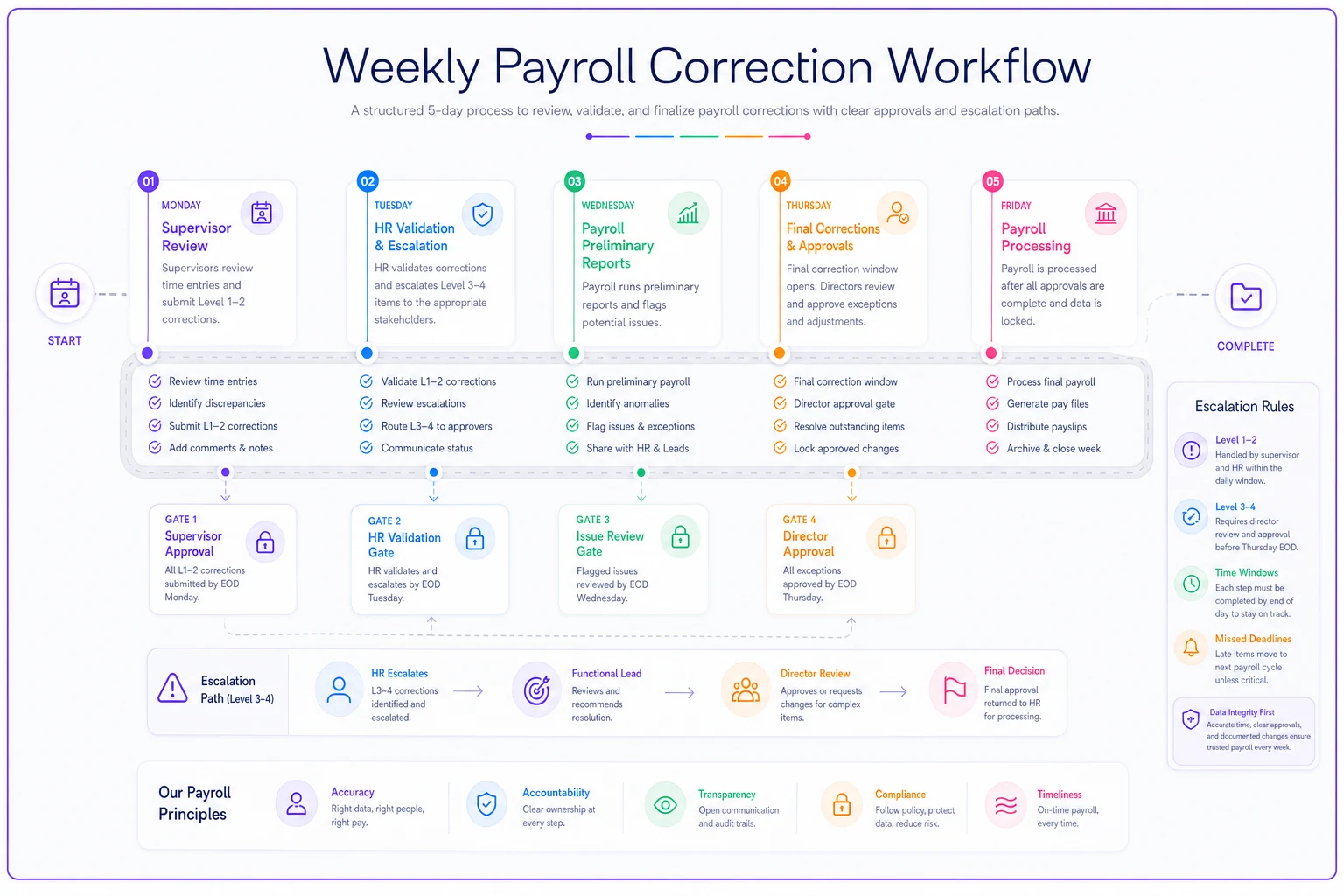
Weekly correction workflow goes like this:
-
Monday morning
Supervisors review previous week's time records, submit Level 1-2 corrections by noon
-
Tuesday
HR processes and validates corrections, escalates Level 3-4 issues
-
Wednesday
Payroll runs preliminary reports, flags any corrections affecting overtime or totals
-
Thursday
Final correction window closes at 2 PM, emergency corrections require director approval
-
Friday
Payroll processed with all approved corrections included
This rhythm means corrections get handled systematically instead of randomly throughout the week. It also creates predictable deadlines that employees learn to respect.
Use this flowchart when explaining the weekly correction window.
This rhythm means corrections get handled systematically instead of randomly throughout the week. It also creates predictable deadlines that employees learn to respect.
Turning your correction data into operational improvements
Every correction tells you something about your operations. Track patterns to identify systematic issues before they become compliance problems.
Monthly correction analysis should cover which departments generate most corrections, what times of day see most missed punches, which supervisors consistently submit clean corrections versus problematic ones, and whether certain employees repeatedly need corrections.
A restaurant chain discovered 40% of their corrections happened during shift changes between 2-4 PM. They added an automated reminder system 15 minutes before shift change. Corrections dropped by 60% within six weeks.
A medical practice found one location generated 3x more corrections than others. Investigation revealed their time clock was positioned where employees couldn't easily access it while wearing PPE. Moving the clock eliminated most corrections.
Modern operational software can track these patterns automatically, flagging when correction volumes spike or when specific employees show concerning patterns. Manual tracking in a spreadsheet reveals operational problems hiding in your correction data too.
Use automated alerts to flag spikes in correction volumes by department so you can investigate before they become systemic.
Monthly correction analysis should cover which departments generate most corrections, what times of day see most missed punches, which supervisors consistently submit clean corrections versus problematic ones, and whether certain employees repeatedly need corrections.
Building long-term audit resilience
The real test of your missed punch correction policy comes during an audit. Whether it's internal audit, external CPAs, or Department of Labor investigators, they look for the same things.
Consistency: Do similar corrections receive similar treatment?
Authorization: Can you prove who approved each correction and when?
Business justification: Does each correction have a legitimate operational reason?
Documentation retention: Can you produce records from the required retention period?
Pattern recognition: Do you identify and address suspicious patterns?
Build these elements into your process from the start, and audits become routine reviews instead of panic-inducing investigations.
One manufacturing client implemented this framework after struggling through a wage-and-hour audit. Their previous "email and spreadsheet" approach left gaps everywhere. After implementing structured correction categories, approval matrices, and standard documentation, their next audit took three days instead of three weeks. The auditor specifically noted their "exceptionally well-documented time correction process."
Practical implementation timeline
Don't try to revolutionize your entire correction process overnight. Phase the implementation to maintain operations while building compliance. Week 1-2 involves drafting your correction categories and approval matrix, getting buy-in from department heads and payroll team.
Week 3-4 means creating documentation templates and training supervisors on proper entry formats.
Week 5-6 requires running parallel process — old system and new system simultaneously to identify gaps.
Week 7-8 brings full implementation with weekly reviews to adjust the process. Month 3 calls for first quarterly analysis of correction patterns and process refinements.
The gradual rollout prevents operational disruption while building sustainable practices. Most businesses see correction-related payroll issues drop by around 50-70% within ninety days of full implementation.
Technology considerations without the hype
While AI-powered operational platforms can automate much of the correction workflow — flagging anomalies, routing approvals, maintaining audit trails — the policy framework matters more than the technology. A clear process works whether you're using paper forms or sophisticated software.
Modern systems eliminate the most painful parts of correction management. Automatic audit trails mean no more searching through emails. Preset approval routing means corrections don't sit in someone's inbox during vacation. Analytics help identify problems before auditors do.
The businesses seeing the best results combine clear policies with operational software that enforces those policies automatically. But start with getting the policy right. Technology amplifies good processes but can't fix bad ones.
Making it stick
A missed punch correction policy only works if people actually follow it. The biggest implementation challenges aren't technical — they're behavioral.
Supervisors resist "extra paperwork" when they're already overwhelmed. Employees get frustrated when legitimate corrections face scrutiny. Payroll teams struggle to enforce policies that operations managers ignore.
Make the right way the easy way. When your correction process takes less time than the current workarounds, adoption happens naturally. When supervisors see that proper documentation prevents future headaches, they start following the templates. When employees understand the approval matrix, they stop expecting instant corrections for prior-period adjustments.
Your correction policy becomes operational reality when it makes everyone's job easier, not harder. Focus on that, and compliance follows automatically.
The businesses that handle time corrections best don't treat them as exceptions to avoid. They recognize corrections as normal operational friction and build systematic ways to handle them. The result: cleaner payroll, happier employees, satisfied auditors, and significantly less time spent on retroactive fixes.
Start with the framework outlined here, adjust for your specific operational reality, and watch your correction-related headaches gradually disappear. The goal isn't perfection — it's building a defensible, practical process that keeps operations running while satisfying compliance requirements.
Ready to optimize your workforce time management?
Join 2,000+ companies using GoTimio to improve timesheet accuracy, reduce payroll errors, and boost team productivity.