

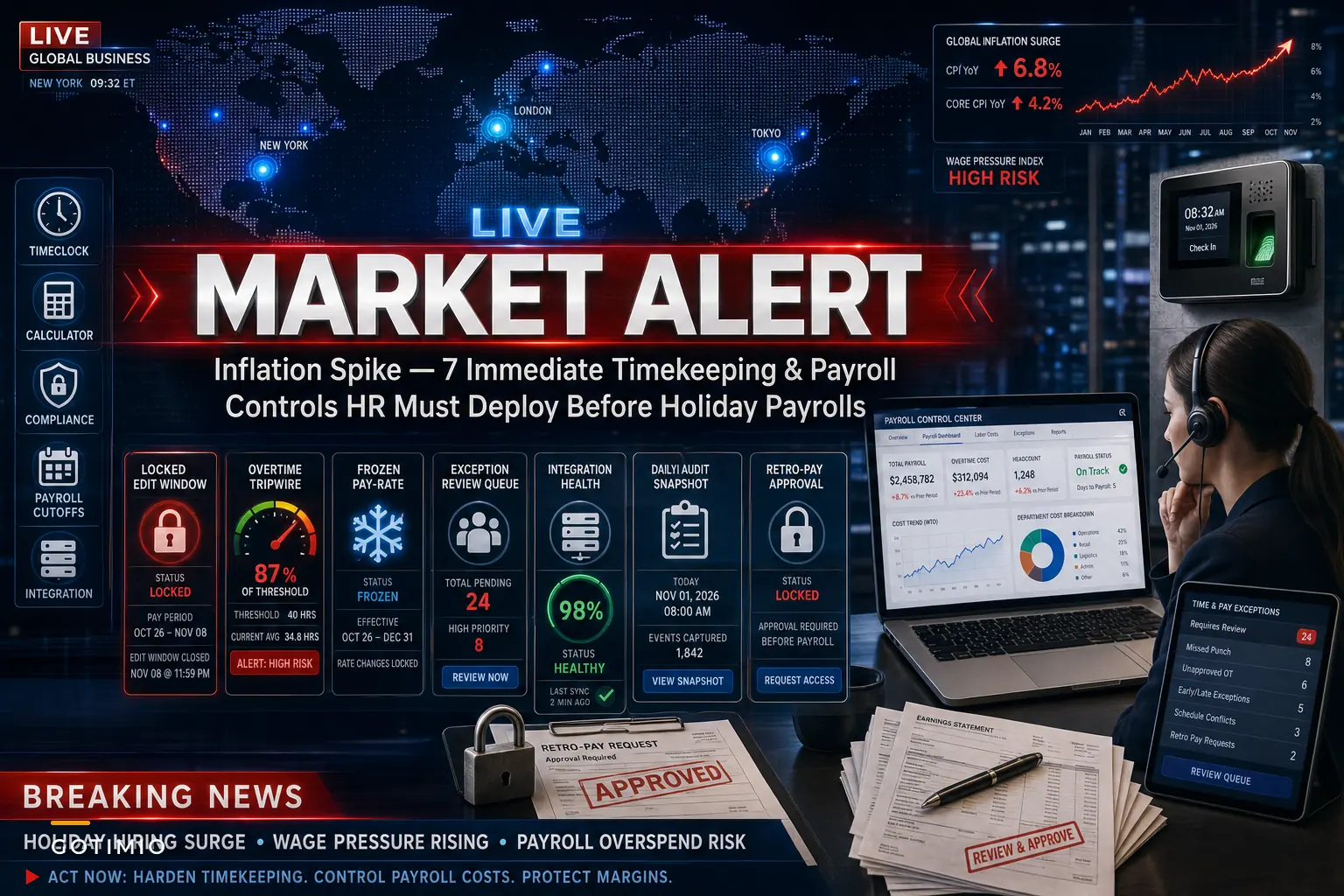

The September PCE reading landed at 3.6% year-over-year, hotter than almost anyone on the payroll side wanted to see. Reuters reported that consumer spending kept climbing even as prices accelerated — which is exactly the combination that makes finance nervous: demand stays hot, costs keep rising, and the labor you need to meet holiday volume gets more expensive right when you're running the most hours of the year.
For most HR and payroll leads, the problem isn't understanding that wages cost more now. It's the timing. The inflation print hit at the end of October. Holiday scheduling is already locked or close to it. Overtime is about to spike. And whatever controls you had running during the slower summer months are about to get stress-tested by the heaviest payroll runs on the calendar.
This isn't a forecasting article. Forecasting matters, but you don't have time to rebuild models before the next cycle closes. What you can do is tighten the operational controls that actually determine whether your labor cost stays inside the envelope. Below are seven controls worth deploying now — not next quarter.
Why the inflation timing makes this worse than a normal holiday run
A normal holiday payroll season is already the messiest stretch of the year. Seasonal hires with incomplete records, shift swaps happening at 11pm, managers approving edits from their phones, a compressed calendar because of the holidays themselves. Payroll teams usually absorb a certain amount of leakage during this window and clean it up in January.
The difference this year is margin. When wage costs are climbing and the Fed's rate path is suddenly uncertain again — CNBC noted the report revived near-term rate-hike concerns — the slack you used to have is gone. A 2% overtime overspend that was annoying last year becomes a real P&L problem this year, because every dollar of unplanned labor is now more expensive and harder to recover through pricing.
The underlying issue most teams don't name out loud: holiday payroll leakage isn't random. It comes from a small number of predictable control gaps that go unmonitored because nobody has bandwidth during the rush. Inflation just raised the cost of each one.
The 7 controls, in deployment order
Sequenced by how fast you can turn them on and how much they protect. Start at the top.
Accurate time tracking made effortless.
GoTimio empowers your team to log, monitor, and manage work hours seamlessly.
- Real-time time tracking
- Automated timesheet approvals
- Payroll and billing integration
No credit card required
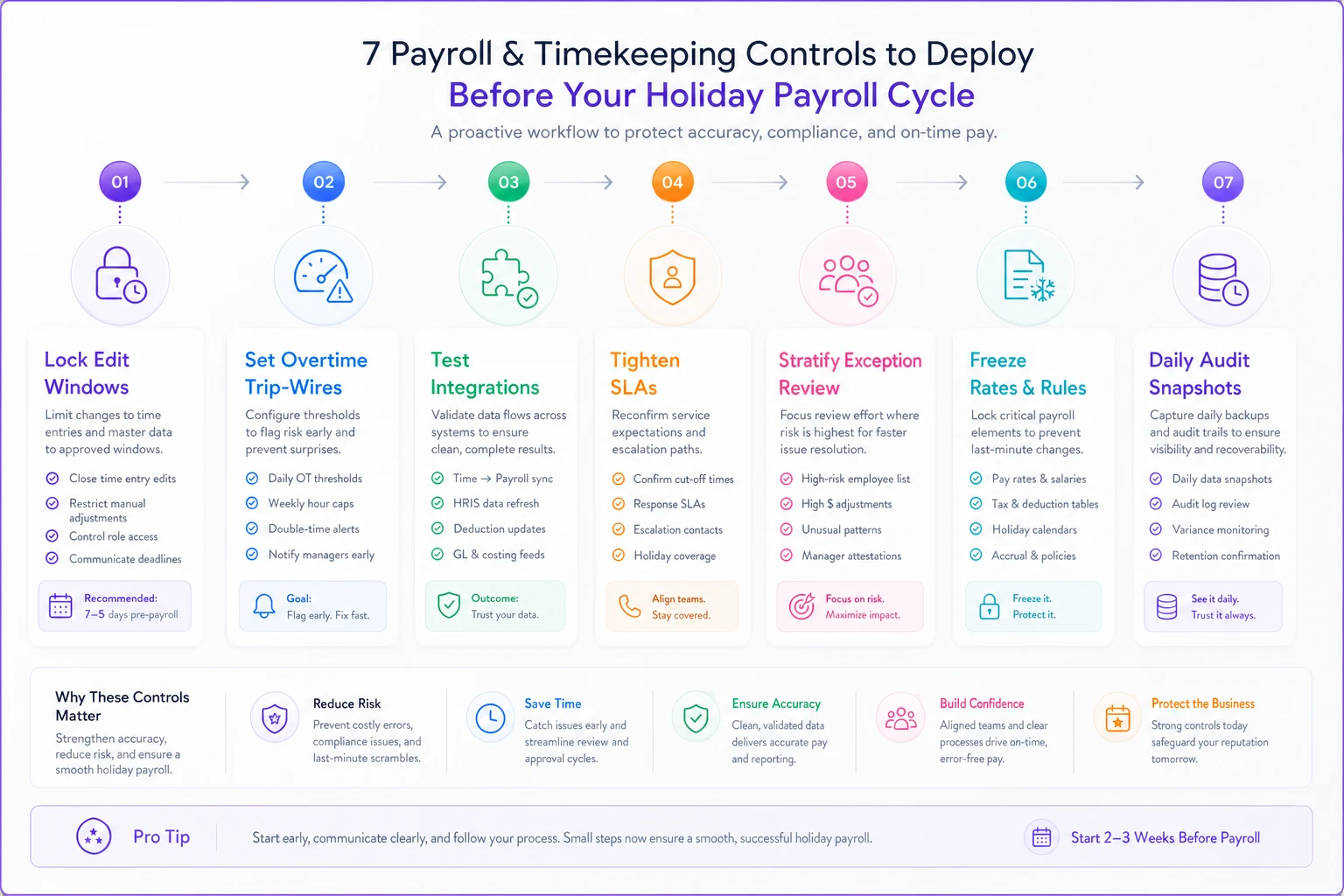
1. Lock your edit window and gate retroactive changes
The single biggest source of holiday payroll surprise is the retroactive edit — a punch correction, a forgotten break, a "fix" entered after the cycle math already ran. During normal months these net out. During a compressed holiday calendar with higher wage rates, they stack.
What to deploy this week:
-
A defined edit cutoff (e.g., 24 hours before cycle close)
-
Mandatory second approval for post-cutoff edits
-
A daily report of every edit touching overtime-eligible hours
2. Put an overtime trip-wire on the schedule, not just the paycheck
Catching overtime at payroll close is catching it too late — the hours are already worked and owed. The control that actually saves money is a projected-overtime alert that fires mid-week, when a manager can still rebalance a shift.
The pattern worth watching: employees quietly approaching the overtime threshold across multiple locations or departments, where no single manager sees the full picture. Someone picks up a shift at one site, covers a swap at another, and the total crosses into time-and-a-half without anyone deciding it should.
A simple projected-hours threshold at around 90% of the overtime line gives managers a window to act instead of a bill to pay.
Set the projected-hours threshold at around 90% of the overtime line to give managers a window to act.
3. Verify every payroll integration before the first high-volume run
This is the control people skip because it feels like IT's job. It isn't. If your time system feeds payroll through an integration, a silent failure during a holiday run is catastrophic — you either miss a cutoff or you pay off stale data.
Run a full test cycle now with a realistic volume of records, not a three-record smoke test. Confirm that re-sending the same batch doesn't double-pay anyone, that partial failures get flagged instead of swallowed, and that someone gets paged if a feed stalls. Much of the groundwork for this mirrors the discipline laid out in this SLA-based playbook for a payroll-ready time and attendance process — the reconciliation SLA needs to be defined and tested before the volume hits, not improvised during it.
A quick workflow to deploy these controls in sequence:
4. Tighten reconciliation SLAs for the compressed calendar
Holiday weeks eat your reconciliation time. A pay period that normally allows three business days to reconcile might have one and a half because of a holiday closure. If your SLA assumes a normal calendar, you'll run out of runway.
Map your actual holiday cycle dates against reconciliation steps and find where the squeeze is. Then pre-stage: identify which exception types you'll fast-track and which you'll hold. The mistake is treating every exception as equally urgent during the crunch — you end up chasing a $6 rounding discrepancy while a $400 overtime misclassification sails through.
5. Stratify your exception review so the expensive errors surface first
During high volume, you can't review everything. So review by dollar exposure, not chronological order.
| Exception type | Typical frequency (holiday) | Cost-per-miss | Review priority |
|---|---|---|---|
| OT threshold crossings | Medium | High | Review all |
| Missed/retroactive punches on premium shifts | High | Medium–High | Review all |
| Shift differential / holiday-pay flags | Medium | High | Review all |
| Standard rounding discrepancies | High | Low | Sample only |
| Minor break adjustments | High | Low | Sample only |
A few categories carry almost all the financial risk. Put human attention there and sample the rest. Teams that try to eyeball every line during a holiday run end up spending limited hours on the cheapest errors.
6. Freeze your rate and classification data before the cycle opens
With wage pressure rising, mid-cycle rate changes become more common — a seasonal bump, a retention adjustment, a correction to a misclassified new hire. Every one of these is a reconciliation landmine if it lands inside an open period.
Set a rule: rate and classification changes take effect at period boundaries, not mid-cycle, unless there's a documented exception with approval. The realistic failure mode is paying three days of a shift at the old rate and the rest at the new one, with no audit trail explaining why — which turns into a manual investigation in January when someone questions the number.
7. Snapshot your audit trail daily during the holiday window
Normally a monthly or per-cycle audit export is fine. During the holiday crunch, take a daily snapshot of edits, approvals, and overtime flags. If a dispute surfaces in February about December hours, you want the sequence of who-changed-what preserved at the granularity it happened, not reconstructed from memory.
This costs almost nothing to turn on and saves enormous pain later. The teams that get caught flat-footed are the ones who discover in a wage dispute that their edit history was overwritten or too coarse to tell the story.
A short real scenario
A regional specialty retailer — roughly 140 employees across six stores, scaling to around 190 with seasonal hires — ran into this last December. Their holiday overtime came in about 14% over plan, and when finance dug in, most of it wasn't malicious or even visible in real time. Cross-location coverage was pushing people past the overtime line, and a batch of retroactive setup-time edits had been entered after the register closed.
The fix wasn't a new system. They deployed two controls before the following peak: a mid-week projected-overtime alert and a hard edit cutoff with second approval. The next holiday season, overtime overspend dropped to somewhere in the 4–5% range — not zero, because some overtime is genuinely needed, but close to half the previous leakage was simply decisions being made with visibility instead of after the fact.
No dramatic transformation. Two gates in the right places.
When to deploy all seven — and when not to
Deploy the full set if: you run multiple locations or departments, use seasonal labor, feed payroll through an integration, or have premium/differential pay rules. That combination is where leakage hides, and inflation has raised the cost of every gap.
Don't over-engineer if: you're a single location with a dozen stable, salaried employees and no overtime exposure. Controls 1, 3, and 7 are still worth it. The overtime trip-wire and stratified exception review won't pay for the setup effort.
Who should hold off entirely: nobody should skip the integration test (#3). That's the one control where the downside — a missed holiday cutoff or a double-pay batch — is severe enough that it's worth doing even if you implement nothing else.
The discipline that actually carries over
The inflation print is the reason to act now, but these controls aren't seasonal. The holiday run just exposes gaps that exist all year — they only become expensive when volume and wage rates are both high at the same time. The teams that come through this cycle clean will be the ones who treated the edit cutoff, the overtime trip-wire, and the tested integration as permanent parts of how they run payroll, not a holiday patch.
If you only have time for three before your next cycle closes: lock the edit window, turn on the mid-week overtime alert, and test the integration at real volume. Those three protect the largest share of your exposure for the smallest amount of setup. Everything else is refinement you can layer in once the controls are holding.
Ready to optimize your workforce time management?
Join 2,000+ companies using GoTimio to improve timesheet accuracy, reduce payroll errors, and boost team productivity.