

Most timesheet review screens are built like spreadsheets. They dump every entry in front of a manager, sorted by employee name or date, and expect a human to scan the whole thing and figure out which lines are wrong. That's the core problem. When 400 entries look equally important, managers either rubber-stamp everything — and edits show up later in payroll — or they slow down and read every line, and approvals pile up until Friday afternoon.
The fix isn't a prettier grid. It's ranking. If a manager only ever looks at the 15 entries most likely to cause a payroll problem, first-pass edits drop hard — not because people got more careful, but because the review effort finally lands where the risk is.
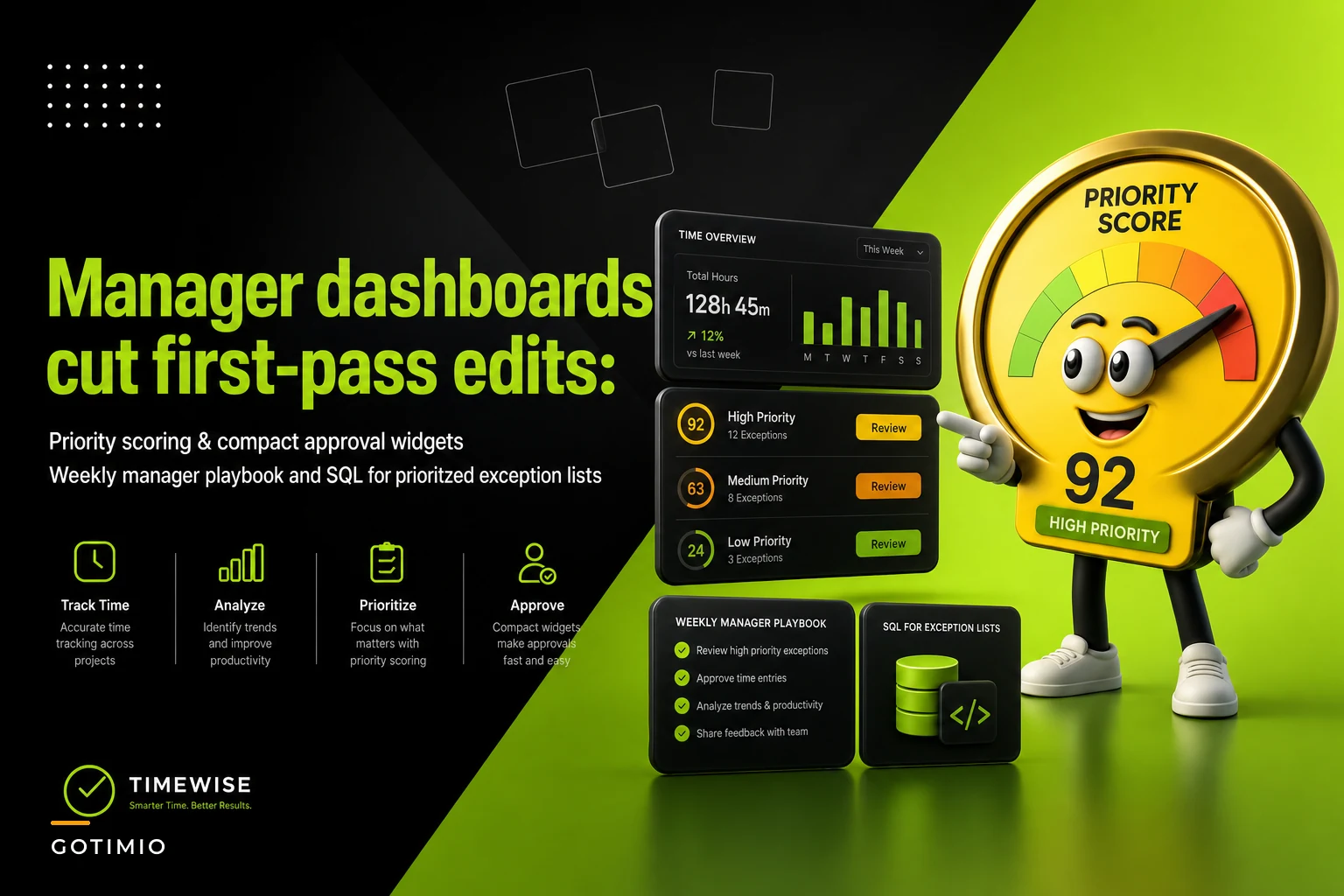
This post is narrow on purpose: how to score exceptions by priority, how to build compact approval widgets a manager can actually clear in one sitting, a simple weekly rhythm to run it, and sample SQL to generate the prioritized list. That's it.
Why "review everything" quietly breaks down
A manager timesheet dashboard that shows all entries treats a 12-minute rounding discrepancy the same as a missing lunch break on a 14-hour shift. Both are one row. Both have the same approve button. The manager's brain has to do the triage manually, every single time.
This creates two predictable failure modes, depending on the manager's personality:
-
The fast approver clears the whole batch in four minutes. Payroll then catches the errors, kicks them back, and now you've got retroactive edits after cutoff.
-
The careful approver reads every line and never finishes on time. Approvals bottleneck, and half the team gets paid off unverified data anyway because payroll can't wait.
Neither is a discipline problem. It's an information design problem. The dashboard is asking a human to sort by risk when the system should have done it already.
There's a subtler tell too. When managers say "I don't trust the numbers," what they usually mean is "I can't tell which numbers to worry about." That trust issue tends to disappear the moment the exceptions that matter are pulled to the top with a reason attached.
Priority scoring: rank exceptions by payroll and dispute risk
The idea is to give every exception a numeric score based on how likely it is to cost money or cause a dispute if it goes through unedited. Then you sort descending and the manager works from the top down.
Accurate time tracking made effortless.
GoTimio empowers your team to log, monitor, and manage work hours seamlessly.
- Real-time time tracking
- Automated timesheet approvals
- Payroll and billing integration
No credit card required
| Exception type | Base weight | Why it's weighted this way |
|---|---|---|
| Missing clock-out | 40 | Open shift means the system is guessing hours — highest correction rate |
| Overtime threshold crossed | 35 | Direct dollar impact and compliance exposure |
| Shift > 12 hours with no break | 30 | Legal risk in many jurisdictions, likely a punch error |
| Punch outside scheduled window (>60 min) | 25 | Common source of unapproved time |
| Duplicate/overlapping entries | 20 | Double-pay risk |
| Rounding discrepancy < 15 min | 5 | Real, but rarely worth manager time |
| Note/comment left by employee | +10 modifier | Employee flagged something themselves |
You then add multipliers for context. A missing clock-out on a $19/hr part-timer scores lower than the same exception on a salaried-exempt lead whose hours feed a client invoice. Multiply the base weight by the loaded hourly rate bucket, or by whether the hours are billable, and the ranking sharpens fast.
Start with five or six rules and flat weights.
One mistake people make here: over-engineering the model on day one. Start with five or six rules and flat weights. Watch which high-scored items actually get edited over two or three pay periods, then adjust. If "punch outside scheduled window" almost never results in an edit for your team, drop its weight. The scoring should reflect your correction history, not a generic template.
Sample SQL for a prioritized exception list
Here's a working starting point. Assume a time_entries table with clock-in/out timestamps, a scheduled window, an hourly rate, and a billable flag. This produces one row per problematic entry, scored and sorted.
WITH scored AS ( SELECT te.entryid, te.employeeid, e.fullname, te.workdate, te.clockin, te.clockout, te.hourlyrate, te.isbillable, -- base exception weights (CASE WHEN te.clockout IS NULL THEN 40 ELSE 0 END) + (CASE WHEN te.totalhours > 8 AND te.employeetype = 'nonexempt' THEN 35 ELSE 0 END) + (CASE WHEN te.totalhours > 12 AND te.breakminutes = 0 THEN 30 ELSE 0 END) + (CASE WHEN te.clockin > te.schedstart + INTERVAL '60 minutes' OR te.clockout > te.schedend + INTERVAL '60 minutes' THEN 25 ELSE 0 END) + (CASE WHEN te.overlapsanother = TRUE THEN 20 ELSE 0 END) + (CASE WHEN te.employeenote IS NOT NULL THEN 10 ELSE 0 END) AS basescore FROM timeentries te JOIN employees e ON e.employeeid = te.employeeid WHERE te.payperiodid = :currentperiod AND te.approvedat IS NULL ) SELECT entryid, fullname, workdate, clockin, clockout, basescore, -- rate + billable multiplier ROUND( basescore (1 + (hourlyrate / 100.0)) (CASE WHEN isbillable THEN 1.25 ELSE 1.0 END) , 1) AS priorityscore FROM scored WHERE basescore > 0 ORDER BY priority_score DESC LIMIT 50;
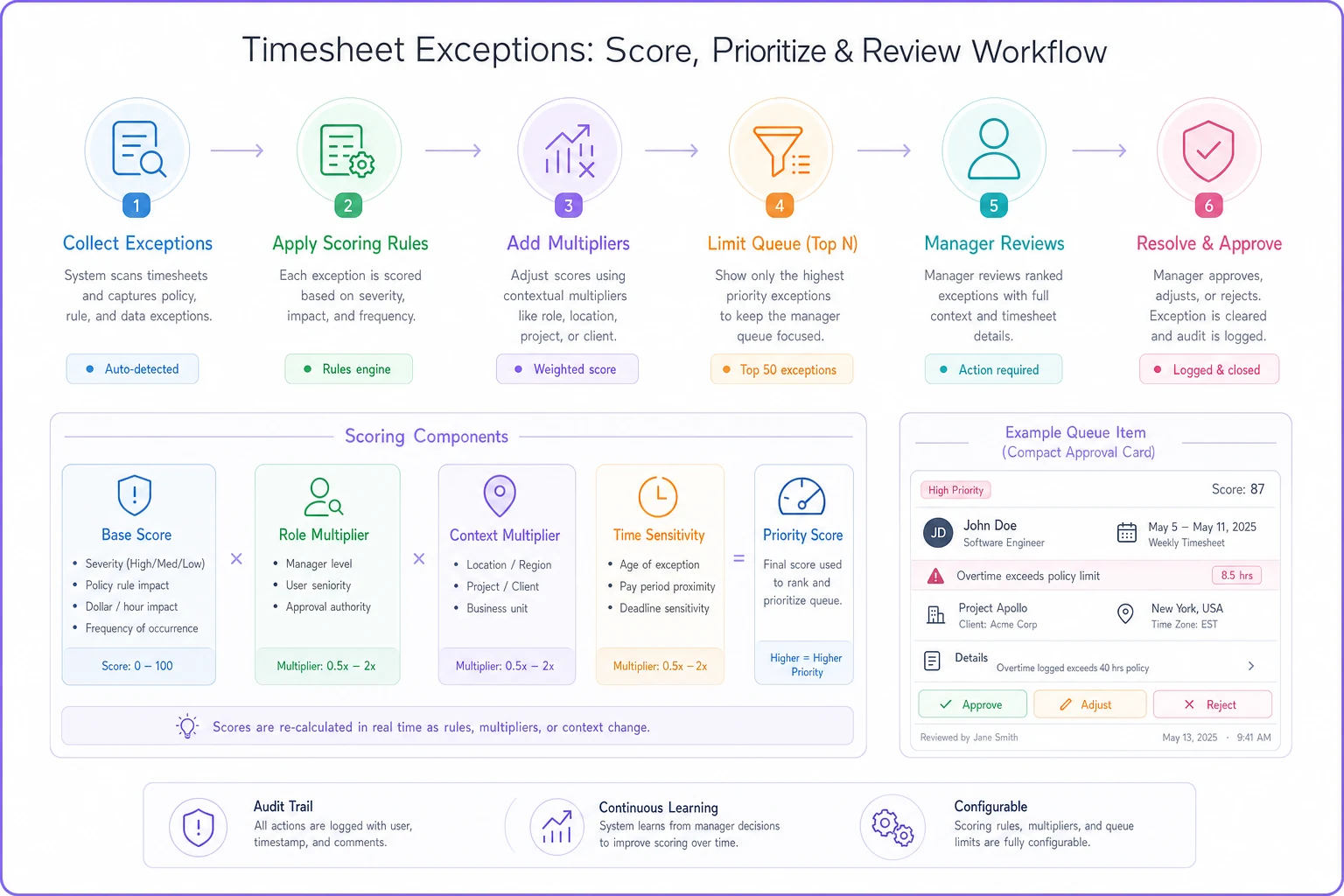
This image shows the scoring-to-approval workflow.
-
The
LIMIT 50is deliberate. You're not trying to surface everything — you're capping the manager's queue at something clearable. -
totalhours,overlapsanother, andbreak_minutesare assumed pre-computed. If they aren't, calculate them in an upstream view so this query stays readable. -
Keep the multiplier for billable hours conservative. Inflating it too much buries genuine payroll risk under invoice-protection noise.
-
Log the score alongside the eventual edit outcome. That's your feedback loop for tuning weights later.
The employee_note bonus is the underrated line here. When an employee leaves a comment, they've already flagged something. Those entries clear faster because the context is right there — surfacing them near the top saves a round of back-and-forth.
Compact approval widgets managers can actually clear
A ranked list only helps if the approval action is fast. This is where a lot of dashboards fall apart — they rank well but still make the manager click into a detail page, read four tabs, and click back.
-
The exception reason in plain language ("Missing clock-out — shift still open")
-
The suggested correction, if the system can infer one (scheduled end time, or last known activity)
-
The dollar or hour delta the correction represents
-
One-tap actions
approve, apply suggested fix, or send back with a note
The design principle is that a manager should be able to resolve a card without scrolling and without leaving the queue. When the suggested fix is obvious — an open shift where the schedule says 5:00 PM and there's a badge-out at the door at 5:03 — one tap applies it and moves to the next card.
Good approval UX and good exception ranking are really the same fight from two sides. The timesheet UX patterns that reduce edits and boost first-pass accuracy work upstream so fewer exceptions ever reach the manager; priority widgets work downstream so the ones that do reach them get cleared cleanly. You want both.
One pattern worth stealing: group cards by reason, not by employee. A manager processing eight "missing clock-out" cards in a row builds a rhythm and applies consistent judgment. Bouncing between exception types for the same person is slower and produces less consistent decisions.
A weekly manager playbook
Ranking and widgets need a rhythm around them or they get ignored until the pay-period scramble. Here's a lightweight weekly cadence that keeps the queue from ever getting out of hand:
Monday (10 min) — Clear anything scored over 60 from the prior week. These are the missing clock-outs and overtime crossings that are cheapest to fix while memory is fresh.
Wednesday (15 min) — Work the mid-tier queue (scores 25–60). This is where scheduled-window mismatches and duplicates live. Catching them midweek prevents a Friday pileup.
Friday morning (20 min) — Final sweep before cutoff. By now the high and mid tiers should be clean, so this is mostly low-score confirmations and any late-arriving exceptions.
Anytime an item bounces back twice — Escalate instead of re-editing. Repeated bounces usually mean a schedule or policy issue, not a punch issue. That's a different playbook — the kind of decision path covered in the supervisor runbook for late shift changes and swaps.
A quick weekly checklist
-
- [ ] High-priority queue (score > 60) cleared by Monday noon
-
- [ ] Any employee-noted exceptions reviewed with the note read
-
- [ ] Mid-tier queue emptied by Wednesday EOD
-
- [ ] No entry bounced back more than twice — escalate if so
-
- [ ] Final low-score sweep done before payroll cutoff
-
- [ ] Weekly count of edits-after-approval logged for tuning
The whole point of splitting it across three short sessions is that no single sitting ever exceeds 20 minutes. Managers avoid the review screen when it feels like an hour of work. They'll do 15 minutes three times without complaint.
A real scenario
A regional cleaning company with about 90 field staff ran a standard all-entries review screen. Two ops managers split the roster and each spent close to two hours every Thursday going line by line. Even with that, payroll kicked back somewhere around 30–40 corrections per period — mostly missing clock-outs and unapproved overtime that slipped past in the scan.
They switched to a scored queue capped at the top 50 exceptions, with compact approve/fix cards and the three-session weekly rhythm. Review time dropped to roughly 35–40 minutes total per manager per week. Post-approval corrections fell to under ten per period, mostly edge cases nobody could have caught upfront. The managers stopped dreading Thursday. Payroll stopped chasing them on Friday.
The interesting part wasn't the time saved — it was that the quality of approvals went up. When you're only looking at 50 things instead of 400, you actually think about each one.
When this makes sense — and when it doesn't
Priority scoring earns its keep when you've got enough volume that manual triage is genuinely slow — say, more than a couple hundred entries per pay period, or multiple locations feeding one approver. It also helps when hours feed billing, because the cost of a bad approval isn't just payroll, it's a client dispute.
It's overkill for a five-person shop where the manager knows every schedule by heart. At that size, a scored queue adds structure nobody needs. And it's a bad idea if your underlying time data is a mess — garbage timestamps produce garbage scores, and you'll rank noise. Fix data quality first, then layer priority on top.
Teams that should not start here are the ones still fighting basic capture problems: entries not syncing, schedules not loading, break rules misconfigured. Scoring assumes the raw signals are trustworthy. Get capture stable, then add priority on top.
Closing thought
The shift that matters is small but real: stop asking managers to find the risky timesheets, and start handing them the risky ones already sorted, already explained, with the fix one tap away. Priority scoring plus compact approval widgets plus a light weekly rhythm turns timesheet review from a dreaded scan into a short, focused task — and the drop in first-pass edits follows naturally, because attention finally lands where the money actually leaks.
Ready to optimize your workforce time management?
Join 2,000+ companies using GoTimio to improve timesheet accuracy, reduce payroll errors, and boost team productivity.