

Most time-tracking evaluations get decided in a demo. Someone from HR watches a slick 40-minute walkthrough, the clock-in screen looks clean, the manager dashboard is pretty, and the contract gets signed. Then four months later payroll is doing manual corrections every cycle, overtime is calculating wrong in two states, and nobody can explain why timestamps shift by an hour twice a year.
The gap between "looked great in the demo" and "survives a real payroll run" is enormous. Demos test the happy path. Compliance and reliability failures live in the edge cases — the DST boundary, the retro edit, the API that silently drops events during a cutover window, the jurisdiction with daily overtime instead of weekly.
This checklist is built from the stuff that actually breaks, not what vendors want to show you. It's organized as a set of questions and tests you can drop straight into an RFP, grouped into the four areas that decide whether a system holds up: payroll integration, multi-jurisdictional compliance, data governance, and operational reliability.
Start by scoring the data model, not the UI
The single biggest predictor of payroll pain is how a time system represents an event internally. Everything downstream — overtime, reconciliation, timezone handling, audit trails — inherits whatever decisions the vendor made at the data model level.
A pattern worth watching for: vendors that store a single "local time" field with no explicit timezone and no UTC anchor. It works fine in one office. The moment you have distributed teams or anyone crossing a timezone boundary, you get silent drift that only shows up in a payroll dispute three cycles later.
Questions to force into the RFP, with the answers you actually want:
| Requirement | What to ask the vendor | Acceptable answer | Red flag |
|---|---|---|---|
| Canonical timestamp | How is each punch stored internally? | UTC instant + explicit IANA timezone + device-reported local time | "Local time" or a single datetime field with no zone |
| DST handling | What happens to a shift spanning the fall-back hour? | Documented rule using UTC anchors; duplicate 1–2am hour handled deterministically | "That rarely comes up" |
| Event immutability | Can a raw punch be edited in place? | Original event is immutable; corrections create new linked records | Edits overwrite the original |
| Clock source | Which clock stamps the event — device or server? | Server-authoritative with device time retained for forensics | Device clock trusted blindly |
| Idempotency | If a punch is submitted twice, what happens? | De-duplicated by event ID | Two records, two paychecks worth of confusion |
| Precision | What's the stored granularity? | Seconds (or finer), rounding applied at calculation not capture | Rounds at capture, discards the raw value |
If a vendor can't answer the canonical timestamp question cleanly in the first conversation, that's not a configuration problem. It's architecture. You'll be fighting it for the life of the contract.
Payroll integration: test the connector, not the brochure
Every vendor says they "integrate with payroll." That phrase covers everything from a real-time API to a nightly CSV someone emails. The quality of that integration is where most reconciliation labor actually comes from.
Accurate time tracking made effortless.
GoTimio empowers your team to log, monitor, and manage work hours seamlessly.
- Real-time time tracking
- Automated timesheet approvals
- Payroll and billing integration
No credit card required
A time system doesn't just need to send hours to payroll. It needs to send them once, correctly, and in a way that survives retries, late edits, and a missed cutoff. Those three — exactly-once delivery, retroactive correction handling, and cutoff behavior — are where integrations quietly fall apart.
Make the vendor demonstrate, not describe, the following:
-
Send the same batch twice. Does payroll end up with duplicate hours, or does idempotency catch it? Watch what happens. Don't take their word.
-
Push a retro edit after a pay period closes. Does the system generate a clean adjustment tied to the original period, or does it silently fold into the current period and distort both? A lot of retro edit chaos traces back to a connector that has no concept of "this correction belongs to a period that already ran."
-
Simulate a missed cutoff. What happens when time events arrive after the payroll feed has already fired? You want a queued, flagged, reconcilable path — not a silent drop.
-
Break the connection mid-sync. Kill the network halfway through a feed and restart. Partial delivery with no recovery is a disaster waiting for your busiest pay week.
-
Reconcile the totals. Pull raw punch counts and summed hours from both systems independently. They should match to the minute. If they don't in a controlled test, they definitely won't in production.
One detail worth asking about: whether the integration is pull or push, and who owns retries. Push-only integrations with no retry queue mean any blip during the payroll window creates a gap someone reconciles by hand. If your payroll team is already spending hours each cycle chasing differences, that architecture is usually why.
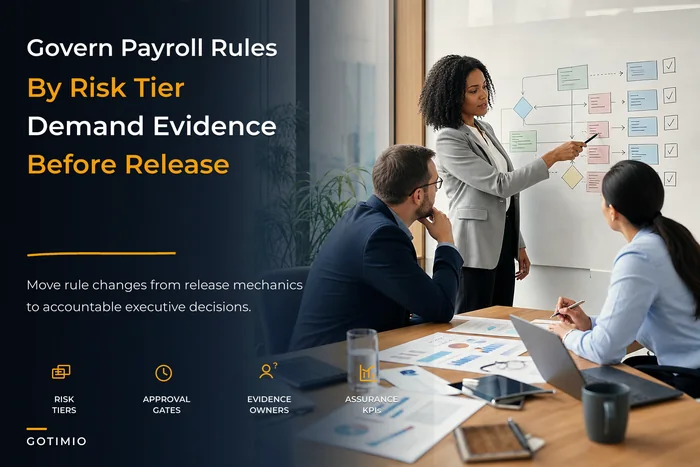
For the deeper mechanics of how automated rules should behave once data arrives in payroll, it's worth grounding your evaluation against a clear governance charter for payroll automation and rule engines so you know what "configurable" actually needs to mean before you sign anything.
Compliance: the jurisdiction matrix most demos skip
A time system that handles overtime correctly in one state can be completely wrong in another, and the vendor will still truthfully say it "handles overtime." Overtime isn't one rule. It's a different rule per jurisdiction, sometimes per county, sometimes with a union agreement layered on top.
The failure mode is specific: the system computes weekly overtime fine, but the jurisdiction uses daily overtime (over 8 hours in a day) plus double-time past a threshold, plus a seventh-consecutive-day rule. If the engine can't express those as separate, stackable rules per location, you're going to underpay or overpay — and underpaying overtime is the kind of thing that turns into a class action.
Compliance checkpoints to verify directly:
-
Overtime rule flexibility — Can you define daily OT, weekly OT, double-time thresholds, and consecutive-day rules independently, per jurisdiction? Ask them to configure a daily-8 / double-12 / seventh-day rule live during the evaluation.
-
Rule precedence — When two rules apply simultaneously (meal penalty + daily OT), which wins, and is the order configurable? Undefined precedence is a silent liability.
-
Meal and rest break enforcement — Can the system flag or auto-calculate premiums for missed breaks where law requires it?
-
Retention per jurisdiction — Can retention periods differ by region? Some jurisdictions require three years, some longer. A single global retention setting forces you to the longest everywhere, which raises cost and privacy exposure.
-
Data residency — Where is time data physically stored? If you have employees in regions with residency requirements, "all in us-east-1" is a problem to surface before procurement, not after.
-
Audit export — Can you produce a defensible, tamper-evident record of what a given employee's punches and corrections looked like at a specific point in time? "We have reports" is not the same as "we have an immutable audit trail."
One thing that comes up in almost every real rollout: compliance configuration takes three to four times longer than vendors estimate, because the hard part isn't the software — it's writing down your own rules precisely enough to configure them. Build that into the implementation timeline or the go-live date will slip and tempt someone into launching with half-configured rules.
Data governance and reliability: the questions IT has to own
HR usually drives the time-tracking decision, but IT inherits the consequences — access control, breach exposure, uptime, and whatever happens when the vendor has an outage during payroll close.
Governance checklist
-
- [ ] Role-based access with genuine separation of duties (the person who edits punches can't also approve them)
-
- [ ] SSO and MFA support, including for kiosk and shared-device scenarios
-
- [ ] Full audit log of who changed what, when, and from where — including administrative actions
-
- [ ] Encryption at rest and in transit, with documented key management
-
- [ ] Configurable retention and defensible deletion (not just "we keep everything forever")
-
- [ ] Data export in a usable format if you leave — no hostage situations
-
- [ ] Clear data residency and sub-processor disclosure
Reliability and SLA checkpoints
-
An SLA promising "99.9% uptime" tells you almost nothing if it doesn't carve out your payroll window specifically. The question isn't whether the system is up 99.9% of the time across a year. It's whether it's up during the four hours each cycle when you're actually running payroll.
-
Push for these contract terms
-
- Uptime commitment with the payroll processing window explicitly protected and penalties tied to failures during it
-
- Defined RTO and RPO — how much data can be lost, how fast is recovery — with the vendor's own tested numbers, not aspirational ones
-
- Incident notification SLAs (how fast do they tell you something broke)
-
- A support escalation path with named response times, not a generic ticket queue
-
- Right to run a cutover test and a failure test before go-live, written into the contract
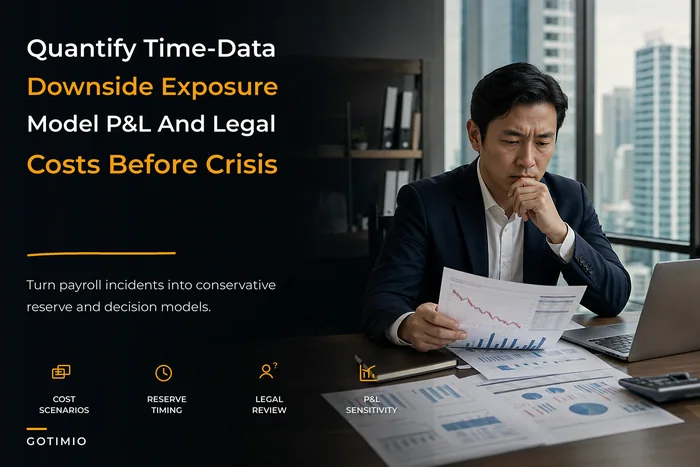
Before negotiating any of this, it helps to have quantified what a time-data failure actually costs your organization. Walking into the SLA conversation with a real number changes the dynamic entirely — this executive framework for time-data risk quantification and downside exposure gives you the model to put real dollars behind the clauses you're asking for.
The cutover test every evaluation should include before signing
Vendors hate this. Good ones agree to it anyway: run a parallel period before you commit. Capture real time data in both the old and new systems for one full pay cycle, run payroll from each independently, and diff the results line by line.
What you're looking for in the diff:
-
Employees whose totals differ by more than a rounding minute (investigate every one)
-
Overtime calculated differently between systems
-
Any timezone-related shift in start/end times
-
Corrections that landed in the wrong period
-
Hours that exist in one system and not the other
A parallel run surfaces in one week the problems you'd otherwise discover across six months of painful production cycles. If a vendor won't support a parallel period, or can't export clean enough data to make the comparison possible, that's a strong signal about what day-to-day reconciliation will feel like.
Red-flag decision rules
Some findings should stop an evaluation regardless of how good the rest of the demo looked. These are disqualifiers, not negotiation points:
-
Timestamps stored without an explicit timezone or UTC anchor. Architectural, unfixable in config.
-
No idempotency on the payroll feed. You will reconcile duplicates by hand, indefinitely.
-
Edits overwrite original records. You've lost your audit trail and your legal defensibility.
-
Overtime engine can't express daily OT and double-time independently. Guaranteed compliance pain in the wrong jurisdiction.
-
Won't support a parallel cutover test. They either can't export data cleanly or know it won't match.
-
SLA doesn't protect the payroll window specifically. The uptime number is theater.
-
No per-jurisdiction retention and no data residency answer. Governance debt you'll inherit on day one.
Any single one of these is enough to pause. Two together and you're looking at a system that generates more manual work than the one you're replacing.
A short real scenario
A mid-sized home-services company — roughly 180 field and office staff across four states — replaced a spreadsheet-plus-punch-clock setup with a time system chosen almost entirely on the strength of the mobile app. The app was genuinely good. The data model underneath wasn't.
Within the first two full cycles, payroll was spending somewhere around 9–11 hours per period on manual corrections. The two biggest sources: the system stored local time with no timezone, so crews near a state line that also crossed a timezone boundary showed shifts off by an hour; and retro edits after period close were folding into the current period, distorting both. Overtime in one state with daily rules was being computed on a weekly basis and consistently came out low.
None of it showed up in the demo, because the demo was a single office in a single timezone with no retro edits. A one-week parallel run would have caught all three before signing. They eventually kept the vendor but spent most of a quarter reconfiguring overtime rules and re-platforming the integration onto an idempotent feed — work that cost more than the first-year license and would have been a one-paragraph requirement in the original RFP.
The lesson wasn't that the vendor was bad. It was that the evaluation tested the wrong layer.
How to actually run the evaluation
Pulling it together into a sequence your team can follow:
-
Write your rules down first. Overtime, rounding, retention, and approval rules per jurisdiction — before you look at a single vendor. You can't evaluate configurability against requirements you haven't articulated.
-
Score the data model early. Use the timestamp matrix above as a gate. Vendors that fail it don't advance, regardless of UI.
-
Demand live configuration, not slides. Make them build your hardest overtime rule in front of you.
-
Run the integration tests against a sandbox. Duplicate batches, retro edits, broken connections, missed cutoffs.
-
Negotiate the SLA around your payroll window, armed with a quantified cost of failure.
-
Run a parallel period and diff the payroll output. This is the final gate before signing.
-
Build real timeline buffer for compliance configuration, because it always runs long.
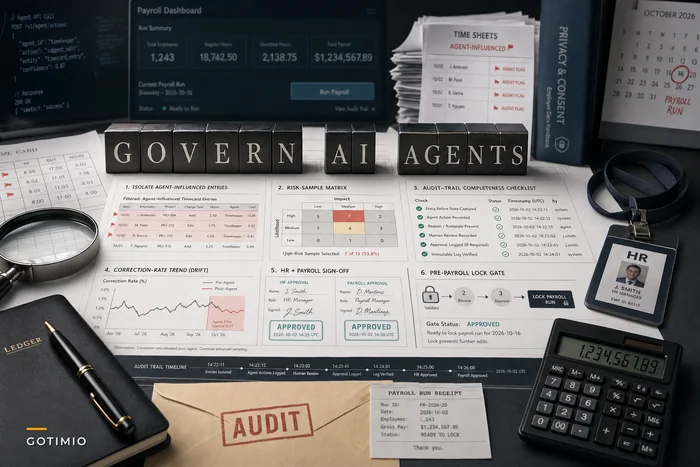
If AI-assisted features are part of the pitch — automated anomaly flagging, suggested corrections, or anything that touches time or payroll data automatically — hold them to the same governance bar as everything else. Convenience that isn't auditable isn't convenience, it's future risk. The practical guardrails for that are worth reviewing in this HR playbook for governing AI agents around timekeeping and payroll before you let any automated feature near a pay run.
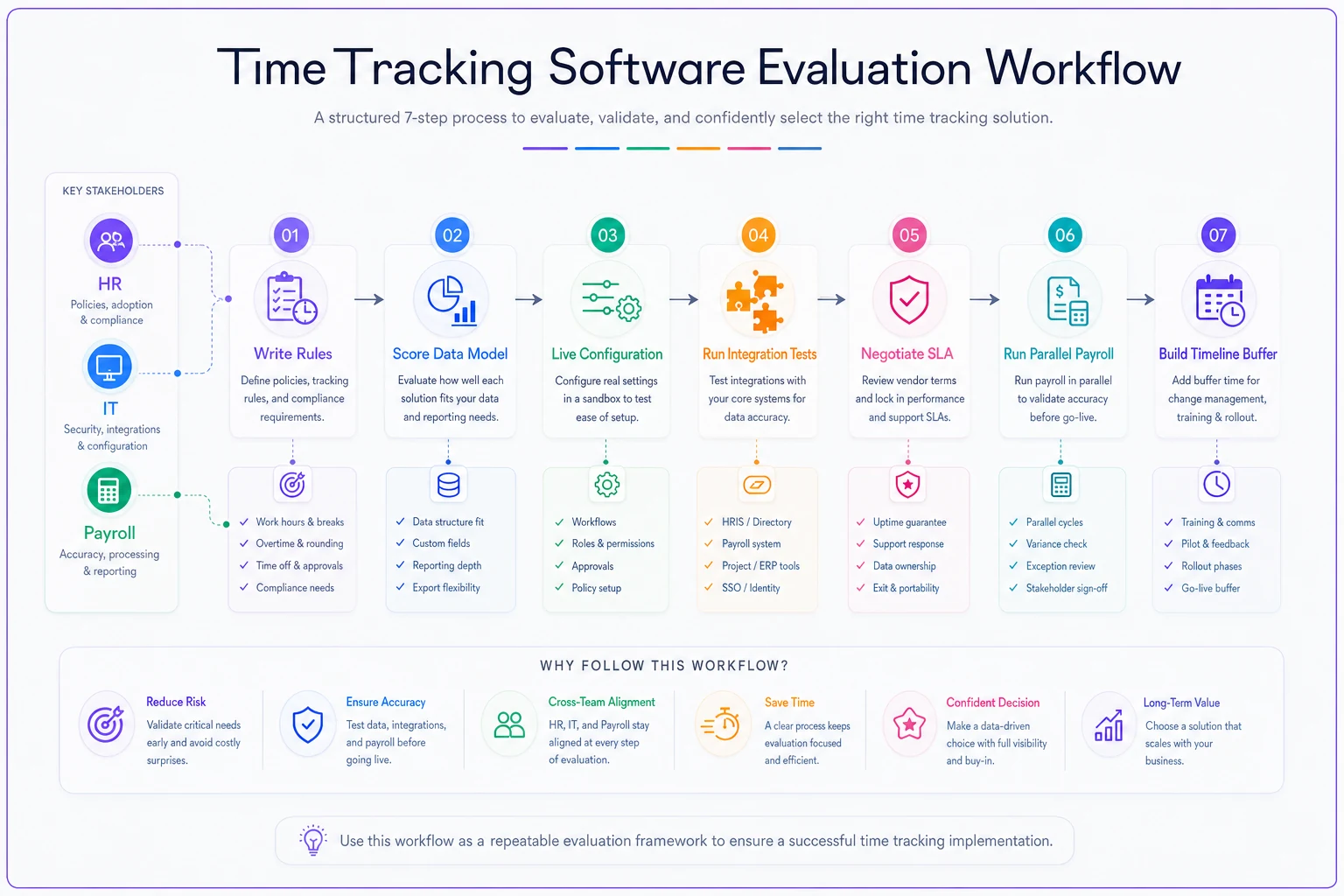
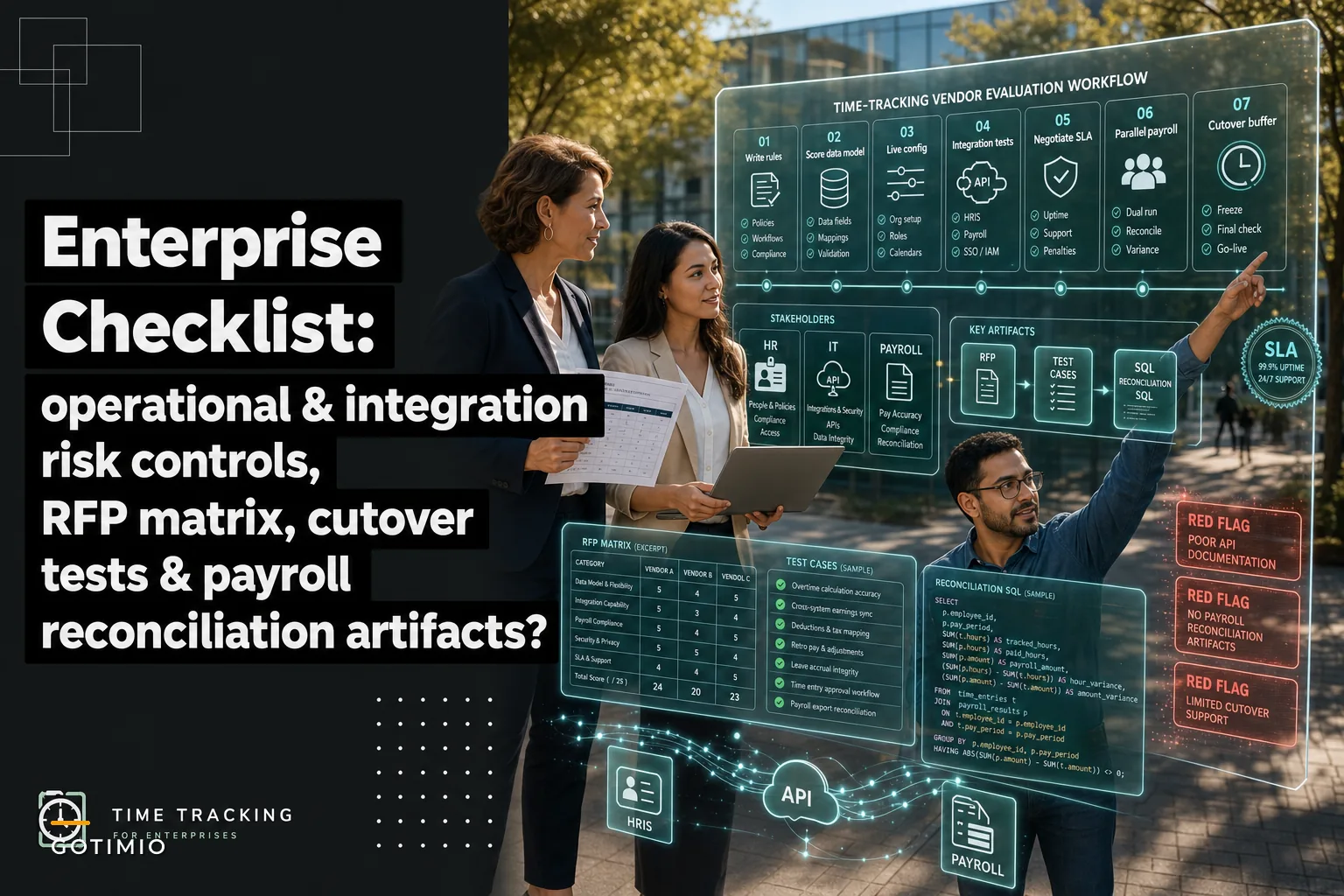
A simple visual like this can help align stakeholders on the sequence and who owns each step.
What this is actually about
A time-tracking evaluation isn't about finding the nicest product. It's about finding the one that won't quietly generate manual labor, compliance exposure, and reconciliation headaches for the next several years. Those risks live in the layers vendors don't demo — the data model, the integration's failure behavior, the overtime engine's flexibility, and the SLA's fine print.
Spend your evaluation effort where the failures actually happen. Score the timestamp model, break the connector on purpose, make them configure your ugliest overtime rule live, and run one real parallel period before you sign anything. The week you spend doing that is the cheapest insurance you'll ever buy against a version of this project where payroll is still cleaning up messes a year from now.
Spend your evaluation effort where the failures actually happen. Score the timestamp model, break the connector on purpose, make them configure your ugliest overtime rule live, and run one real parallel period before you sign anything. The week you spend doing that is the cheapest insurance you'll ever buy against a version of this project where payroll is still cleaning up messes a year from now.
Ready to optimize your workforce time management?
Join 2,000+ companies using GoTimio to improve timesheet accuracy, reduce payroll errors, and boost team productivity.