

Most teams measure their time systems the same way they'd measure a website: is it responding, is it slow, are there errors. That framing quietly fails payroll, because a time system can be 100% "up" all week and still deliver a broken payroll run. The clock app responds fine. The API returns 200s. And yet three hundred punches never made it into the pay period because a nightly sync silently deduped them, or a reconciliation job ran but produced a delta nobody looked at.
Generic uptime monitoring doesn't understand payroll windows. It doesn't know that a two-hour delay at 3pm on a Tuesday is basically harmless, but the same two-hour delay at 6am on cutoff Thursday means someone gets paid wrong. Payroll-aware observability closes that gap by defining service objectives around what actually matters — money landing correctly in people's accounts, on time.
This is the framework for building time system observability SLOs tied to payroll reality: what to measure, how to alert on it, what the dashboards should show, and who does what when something breaks near a cutoff.
Why "the system is up" is the wrong question
Availability is easy to measure and comfortable to report. That's exactly why it dominates dashboards, and why it lulls teams into a false sense of safety.
The pattern keeps repeating: a business runs a time clock, a scheduling layer, and a payroll integration. The clock has 99.9% uptime. Leadership sees green. But payroll accuracy is being quietly eroded by things that never trip an uptime check:
-
Events arrive, but late — after the pay period locks
-
Events arrive duplicated — one shift counted twice
-
Events arrive, but the reconciliation between raw punches and payroll-ready hours shows a gap nobody investigates
-
A connector "succeeds" but drops records that failed validation, and the failure count isn't surfaced anywhere
None of these are availability problems. They're correctness and timeliness problems, and they cluster in a very specific place — the hours before payroll cutoff, when volume spikes and there's the least time to fix anything.
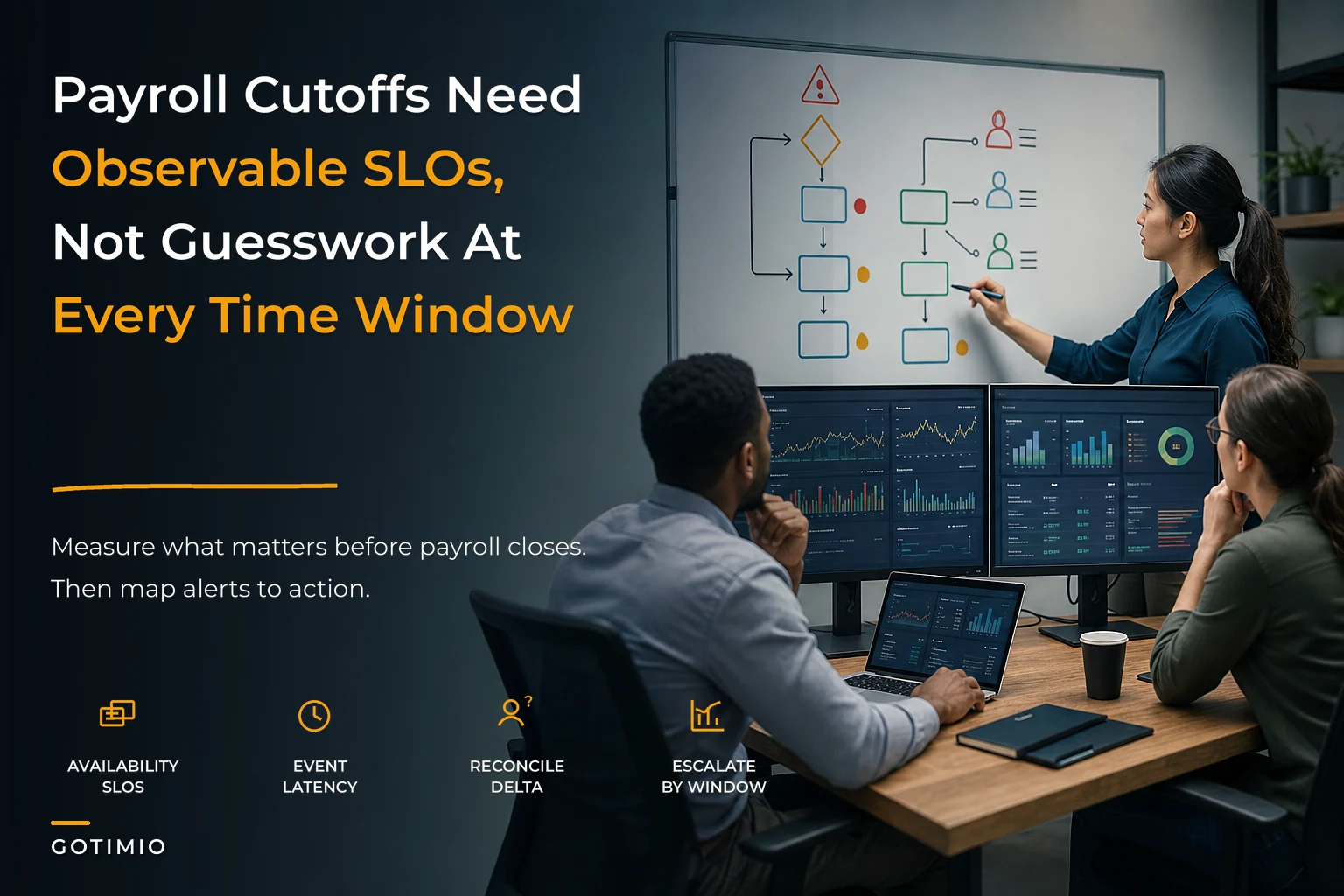
So the first shift in thinking: an SLO catalogue for a payroll-critical time system needs at least three dimensions, not one. Availability tells you the system answered. Latency tells you it answered in time. Reconciliation delta tells you it answered correctly. Miss any of the three and you can still blow a payroll run.
The three-dimension SLO catalogue
Think of these as the minimum viable set. You can add more, but without these three, you don't have payroll-aware observability — you have infrastructure monitoring wearing a payroll costume.
Accurate time tracking made effortless.
GoTimio empowers your team to log, monitor, and manage work hours seamlessly.
- Real-time time tracking
- Automated timesheet approvals
- Payroll and billing integration
No credit card required
1. Availability SLOs (can the system capture and serve time events?)
This is the familiar one, but it needs to be scoped to the capture path, not the whole app. The question that matters: can an employee record a punch, and can downstream systems read it?
Two sub-objectives worth separating:
-
Capture availability — the clock/app/kiosk can accept a punch. Protect this one most aggressively, because a missed capture is often unrecoverable without manual correction.
-
Serve availability — the API/export layer can hand time data to payroll and reporting.
Capture availability should have a tighter objective than serve. If the export layer is down for 20 minutes at noon, you sync when it recovers. If capture is down for 20 minutes at shift change, you've got a queue of employees who can't clock in and a pile of retroactive edits coming.
2. Event latency SLOs (did the event land in time for the window it belongs to?)
This is the dimension most teams don't formalize, and it's where payroll actually breaks. Latency here isn't "milliseconds to respond." It's time from punch occurring to punch being payroll-visible, measured against the pay period boundary.
Latency SLOs should be relative to the cutoff, not absolute. A flat "events must propagate within 30 minutes" objective works fine on a normal Tuesday and is dangerously loose the night before lock. Better to define it as a budget against the window:
-
Outside cutoff window (normal ops)
propagation within 15–30 minutes is acceptable
-
Inside cutoff window (last 24–48 hours before lock)
propagation within a few minutes, with any late arrival treated as a page-worthy event
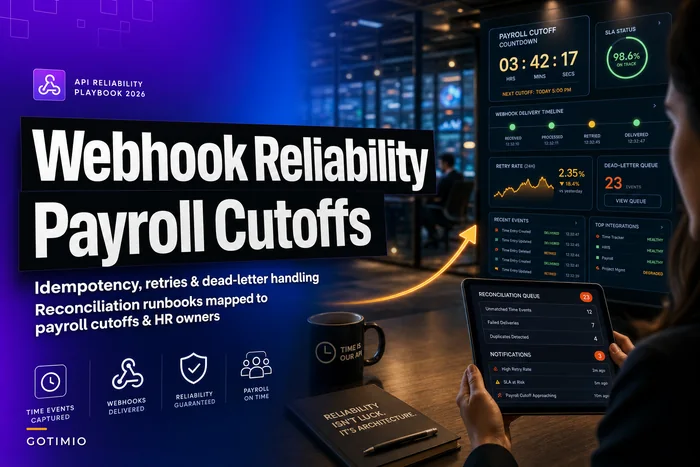
If you've dealt with events arriving after the period closes, the mechanics of retries and idempotency matter enormously here. The reliability patterns in this webhook and API reliability playbook are the backbone that makes a latency SLO enforceable — you can't promise timely arrival if your retry logic can silently duplicate or drop events.
3. Reconciliation delta SLOs (do raw events match payroll-ready hours?)
This is the correctness dimension, and it's the one that saves you from paying people wrong while every other light stays green.
The reconciliation delta is the difference between two sources that should agree:
-
Raw captured events (punches, edits, approved adjustments)
-
Payroll-ready aggregated hours after all rules, rounding, and PTO integration
A healthy system has a delta of zero, or a delta that's fully explained by known transformations — rounding rules, break deductions. An unhealthy system has an unexplained delta: hours that appear or vanish somewhere between capture and payroll with no rule accounting for them.
The common mistake is running reconciliation but only alerting on failures ("job errored"). The job can complete successfully and still produce a delta of 47 hours across the org. Job success is not the same as number agreement. Your SLO must be on the delta value, not on whether the job ran.
Putting the catalogue together
| SLO dimension | What it measures | Example objective | What a breach means |
|---|---|---|---|
| Capture availability | Punch/app can accept events | 99.95% during shift-change hours | Employees can't clock in → retro edits pile up |
| Serve availability | Export/API can deliver data | 99.9% during business hours | Downstream sync stalls, recoverable if brief |
| Event latency (normal) | Punch → payroll-visible | 95% within 30 min | Reporting lag, low urgency |
| Event latency (cutoff window) | Punch → payroll-visible near lock | 99% within 5 min | High risk of missing the pay period |
| Reconciliation delta | Raw events vs payroll-ready hours | Unexplained delta < 0.5 hrs org-wide | People will be paid wrong |
Availability and latency both carry different objectives depending on the payroll window. That window-awareness is the whole point. A single flat number per metric will always be either too loose near cutoff or unnecessarily strict on quiet days.
Alert-to-action mappings tied to payroll windows
An SLO you can't act on is just a number on a slide. The value comes from mapping each breach to a specific action, and making that action depend on where you are in the payroll cycle.
The same alert should behave differently depending on timing. A reconciliation delta of 12 hours on the Monday after payroll is a "log it and investigate this week" event. The identical delta at 5am on lock day is a "wake someone up" event.
The mapping logic worth building:
-
Classify the payroll window. Every alert carries context
is it outside window, inside window (last 24–48h), or inside lock window (last few hours)? This one attribute changes everything downstream.
-
Map severity to window, not just to metric. A latency breach outside window might be a Slack notice. The same breach inside lock window is a page.
-
Attach a pre-decided action to each severity. Not "investigate" — an actual first move. For a reconciliation delta breach inside window: "freeze the export, pull the delta report, identify affected employee count."
-
Define an ownership handoff. Who gets the alert first, who it escalates to, and how long before that escalation kicks in.
A concrete example for the reconciliation delta metric:
-
Delta > 0.5 hrs, outside window → notify time-data owner, investigate within the business day
-
Delta > 0.5 hrs, inside window → page time-data owner, notify payroll lead, do not proceed to export until explained
-
Delta > 2 hrs, inside lock window → page on-call + payroll lead + HR manager simultaneously, invoke the "hold the run" runbook
The destination and urgency of an alert are a function of the payroll clock, not the technical severity alone. Teams that skip this end up either paging people for nothing on quiet days or under-reacting to genuine emergencies because the alert looked routine.
Sample dashboards — what to actually put on screen
Dashboards fail in two opposite ways. Either they show raw infrastructure charts that no HR manager can interpret, or they show a single green/red light that hides everything. A payroll-aware dashboard needs to serve two different readers at once: the person who fixes the system and the person accountable for payroll landing correctly.
View 1 — Payroll countdown / status (for HR and payroll leads). The top of the screen should answer one question: is this pay period safe right now? That means:
-
Time to cutoff, prominently displayed
-
Current reconciliation delta (org-wide and top offending departments)
-
Count of events still pending propagation
-
Count of unresolved corrections / missing punches
View 2 — Event flow health (for the operations owner). This is the pipeline view: capture rate versus expected, propagation latency distribution, retry queue depth, connector success/failure counts. Retry queue depth is a leading indicator people underuse — a queue growing faster than it drains is a latency SLO breach that hasn't happened yet.
View 3 — Reconciliation detail (for whoever runs the numbers). Delta broken down by source of discrepancy: unexplained vs rounding vs PTO integration vs pending approvals. The goal is to make the delta explainable at a glance, because an explained delta is fine and an unexplained one is the emergency.
One workflow detail worth flagging: on the countdown view, the pending-events counter and the reconciliation delta should be read together. A delta of zero with 400 events still pending isn't good news — it means reconciliation ran before the data was complete. Teams that watch delta alone get a false all-clear. The combination is the signal.
Escalation runbooks — the part everyone skips
Alerts and dashboards tell you something is wrong. Runbooks decide whether it gets fixed in ten minutes or turns into a payroll disaster. The difference between teams that recover cleanly and teams that scramble isn't tooling — it's that one group pre-wrote the decisions and the other improvises at 5am.
A payroll-window escalation runbook needs to answer, before anything breaks:
-
Who is on call for the time system during payroll windows specifically (not just general business hours)
-
What the decision authority is — who can approve holding a payroll run, and how they're reached
-
What "hold the run" actually costs — because delaying payroll has real consequences and the person deciding needs to weigh a wrong run against a late run
-
What the rollback and replay procedures are if bad data already flowed downstream
A sample cutoff-window escalation runbook
-
Detection. Reconciliation delta breach fires inside lock window. Alert lands with payroll-lead and on-call simultaneously.
-
Triage (first 10 minutes). On-call pulls the delta report. Question one: is the delta explained (rounding, pending approvals) or unexplained? Explained → monitor and let it resolve. Unexplained → proceed.
-
Contain. Freeze the payroll export. Nothing flows downstream while the delta is unexplained. This is the single most important step and the one teams most often hesitate on.
-
Assess impact. How many employees affected, how many hours, which departments? This determines who else gets pulled in.
-
Decide. Payroll lead + HR manager decide
fix-and-proceed, or hold the run. Decision authority is named in advance so nobody's hunting for a phone number.
-
Remediate. Apply the correction, re-run reconciliation, confirm delta is now zero or explained.
-
Release or hold. Only release the export when reconciliation is clean. If holding, trigger the communication plan for affected staff.
-
Post-incident. Log root cause, update the SLO thresholds if the alert fired too late, and check whether the failure connects to a known pattern.
A simple escalation workflow diagram:
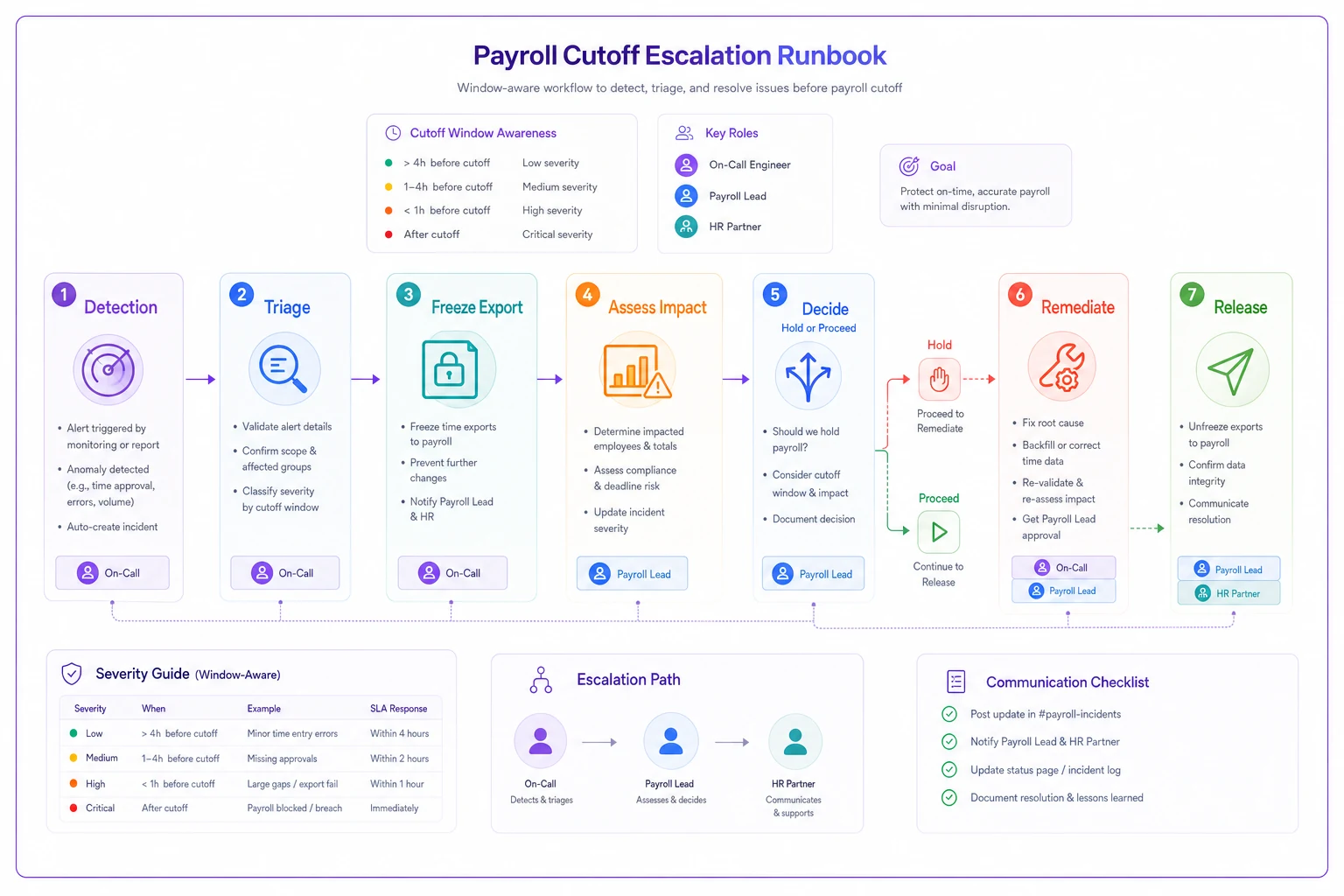
Two things make this runbook actually usable. First, the "explained vs unexplained delta" question at triage — that single fork prevents most false-alarm scrambles. Second, naming the decision authority in advance. When the person who can approve a hold is a known name reachable by a known method, you save the twenty minutes that typically get burned just figuring out who's allowed to make the call.
For the mechanics of safely holding, correcting, and re-cutting a run, the sequencing in the payroll integration runbook on connector testing and safe cutover pairs directly with this — the escalation runbook decides whether to hold, and the integration runbook covers how to re-run without creating duplicates.
A pre-launch checklist for your SLO catalogue
Before you call your time system "payroll-observable," walk this list:
-
[ ] Availability is split into capture vs serve, with capture having the tighter objective
-
[ ] Latency SLOs are defined relative to the payroll cutoff, not as flat numbers
-
[ ] Reconciliation delta is alerted on the value, not just job success/failure
-
[ ] The delta report distinguishes explained transformations from unexplained gaps
-
[ ] Every SLO breach maps to a pre-decided first action
-
[ ] Alert severity changes based on payroll window position
-
[ ] There is a named, reachable decision authority for holding a run
-
[ ] The countdown dashboard reads pending-events and delta together
-
[ ] A "hold the run" runbook exists and someone has actually read it
-
[ ] Retention and replay of raw time events is guaranteed long enough to reconstruct a disputed period
That last point connects to the broader data lifecycle question — you can't reconcile or replay what you didn't retain. The timesheet data lifecycle blueprint on RTO/RPO and e-discovery covers how long to keep raw events and how to make them retrievable, which is the foundation that reconciliation SLOs quietly depend on.
A real scenario: the delta that only showed up near cutoff
A regional home-services company — roughly 120 field and office staff across several branches — ran a time clock, a scheduling tool, and a payroll integration that synced nightly. Uptime was fine. They'd never had an outage worth mentioning.
The problem surfaced as a slow, recurring complaint: every pay period, a handful of technicians reported being short a few hours, and payroll spent the better part of a day chasing corrections. Not a catastrophe — more of a steady drip. Maybe six to ten disputes per period, and a couple hours of admin time each cycle cleaning them up.
When they finally built reconciliation into a real SLO, the cause became obvious in a way it never had been before. Their nightly sync ran at 2am. Field technicians who closed out jobs late — after 2am on the final night — had punches that landed after the sync but before the pay period locked at 6am. Those hours sat in raw capture but never made it into the payroll-ready aggregate for that period. The system was up the whole time. No error ever fired. The reconciliation delta, once they actually measured it, was showing 8–14 unexplained hours clustered on cutoff nights.
The fix wasn't a rebuild. It was a latency SLO tightened inside the lock window, plus a reconciliation-delta alert that fired on the value before the export locked. After that, the countdown dashboard caught the stragglers every period, someone ran the sync one more time before lock, and the recurring shortfalls essentially stopped. Disputes dropped to near zero over the following couple of months.
The failure was completely invisible to uptime monitoring and completely obvious once the system was measured in payroll terms.
When this level of rigor makes sense — and when it's overkill
Not every business needs a three-view dashboard and an on-call rotation for its time system. Building this out has a real cost, and matching the rigor to the risk matters.
This makes sense when:
-
You have enough staff that a payroll error affects real numbers of people, not one or two you can hand-check
-
Time flows through automated integrations rather than someone manually keying it in
-
You have hard cutoffs with real consequences for missing them
-
Field or shift work means events arrive at unpredictable times, including near cutoffs
This is probably overkill when:
-
You're small enough that one person eyeballs the whole timesheet before every run
-
Payroll is a manual process where a human is already the reconciliation step
-
You have no automated propagation to break in the first place
Who should be careful: growing businesses right at the transition point. The dangerous phase is when you've automated time capture and payroll sync but haven't replaced the human eyeball that used to catch problems. That's exactly the window where silent delta and latency failures start slipping through — the old manual safety net is gone and the new observability net isn't built yet. If you've recently automated your payroll flow, you're the audience that needs this most.
Bringing it together
The core shift is simple to state and easy to neglect: measure your time system by whether payroll lands correctly and on time, not by whether the servers are answering. Availability, latency, and reconciliation delta together — each scoped to where you are in the payroll cycle — give you a picture that uptime monitoring alone never will.
Everything downstream follows from getting those three dimensions right. The dashboards exist to make the current pay period's safety legible to the people accountable for it. The alert mappings exist so urgency tracks the payroll clock instead of the technical clock. The runbooks exist so the decisions that matter most are made in advance, not improvised in the worst possible hour.
Build the catalogue first. The rest is just wiring your existing tools to it.
Build the catalogue first. The rest is just wiring your existing tools to it.
Ready to optimize your workforce time management?
Join 2,000+ companies using GoTimio to improve timesheet accuracy, reduce payroll errors, and boost team productivity.